

VLOOKUP Tutorial for Excel – Everything You Need To Know
In this video Jon explains everything you need to know to get started with VLOOKUP for Excel.
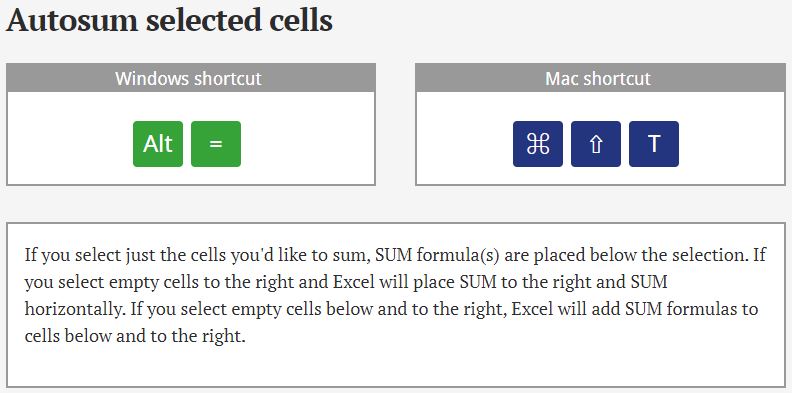
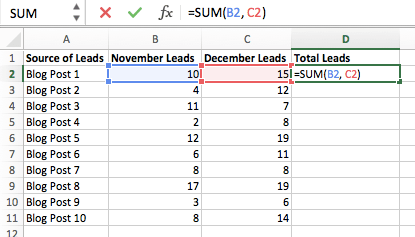
Autosum selected cells
Shortcut to total up a range of cells.
Save time in creating calculations.
Named Ranges
Easier reference to a selection of cells for use in formulas, particularly when copying and pasting formula, without need to use dollar signs to make absolute references.

29 ways to save time with Excel formulas
Good tips to save you time when working with formulas in Excel.
How to use the format painter
The Format Painter copies formatting from one group of cells to another.

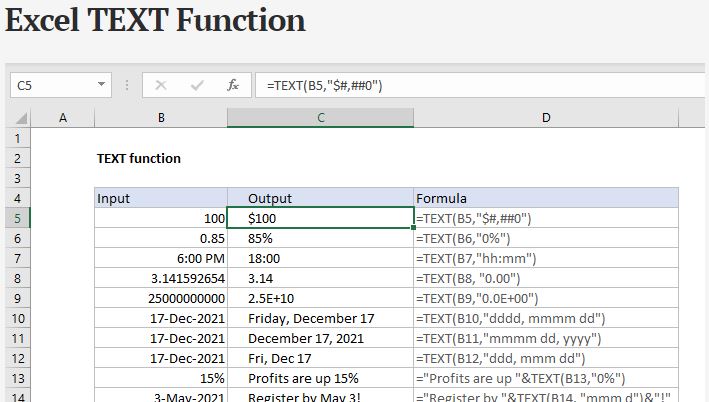
Excel TEXT Function
The Excel TEXT function returns a number in a given number format, as text.
Excel CONCATENATE Function
The Excel CONCATENATE function concatenates join up to 30 values together and returns the result as text.

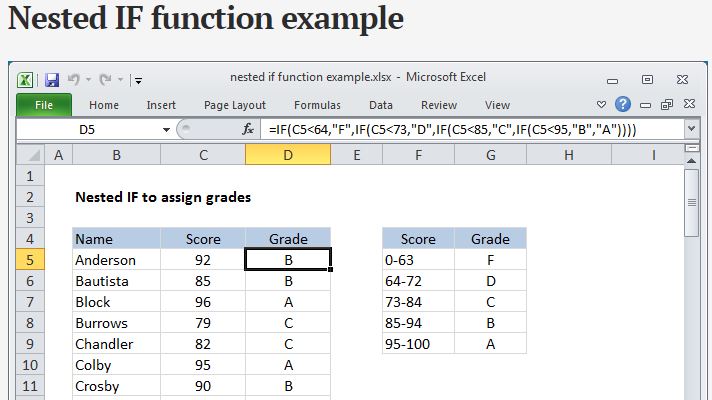
Nested IF function
Usually, nested IFs are used when you need to test more than one condition and return different results depending on those tests.
Excel IF Function
The IF function runs a logical test and returns one value for a TRUE result, and another for a FALSE result. For example, to “pass” scores above 70: =IF(A1>70,”Pass”,”Fail”).
eg if cell A2 is greater than 5, write ‘high’ in cell B2, if not B2 leave blank.

Excel AVERAGEIFS function
Calculate the average of all cells that meet multiple criteria.

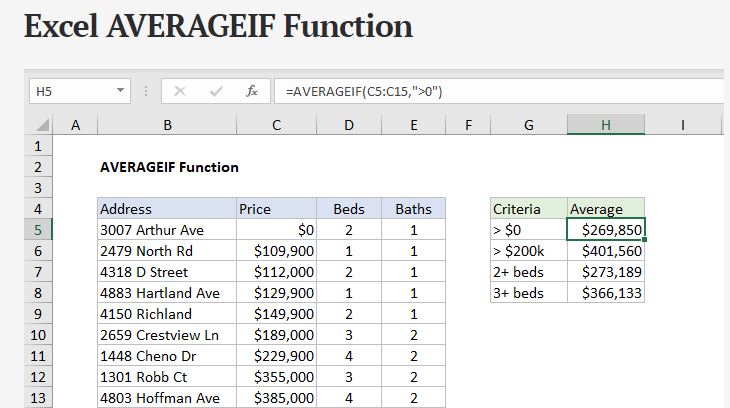
Excel AVERAGEIF function
Calculate the average of all cells that meet a certain criterion.
Averaging only certain cells within a large range of data.
Merge and Centre
Combines several cells into one larger cell. Formatting headings, info boxes etc.

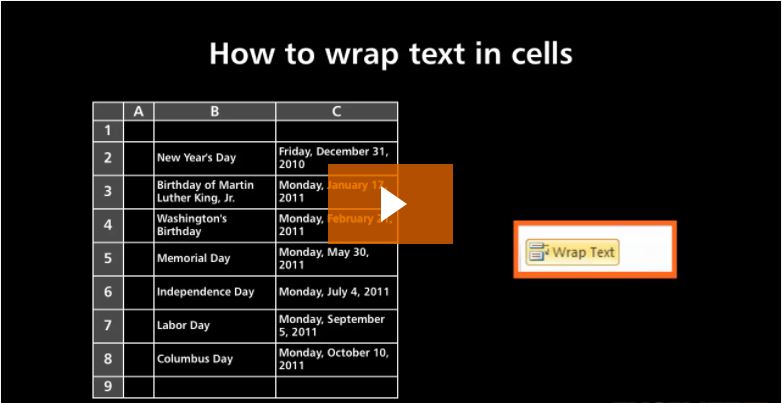
How to wrap text cells in Excel
Wrapping text allows you to fit multiple lines of text in a single cell, ensure columns don’t resize & all data is visible.
Paste Special
Choose to paste just the values, formatting, formulae of copied data or change from horizontal to vertical display of data (or vice versa).

How to Filter a list
Filtering is a great way to quickly explore data in a list or table and filtering hides data that is not of interest.

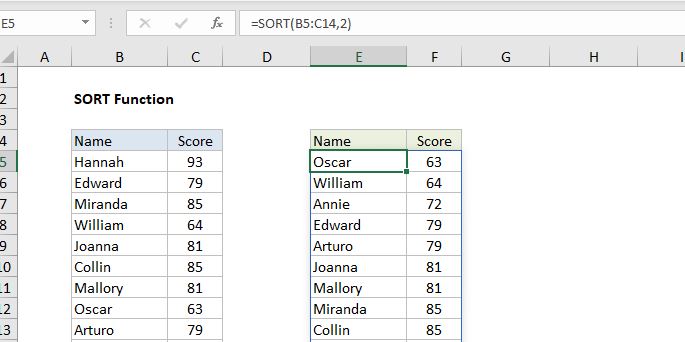
Excel Sort function
The Excel SORT function sorts the contents of a range or array. Values can be sorted by one or more columns. SORT returns a dynamic array of results.
How to remove duplicates from a table
Within a selected data set, remove duplicates of any value leaving only a list of unique values. Useful if wanting to do a count of how many times each value appears.

Index Match
This video shows you how Index Match works with simple and to the point explanation.
Pivot tables example tutorial
Discover hidden productivity tips when working with Excel Pivot Tables & summarise data really fast.
VLOOKUP & HLOOKUP Example tutorials
Find out how to do a VLOOKUP in Excel and for what situations you can use Excel’s Vlookup and Hlookup formulas for.